
YouTube Create
Screenshots
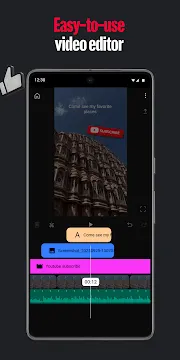
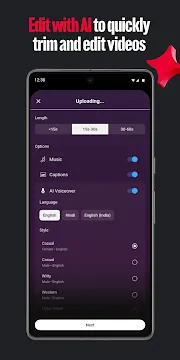
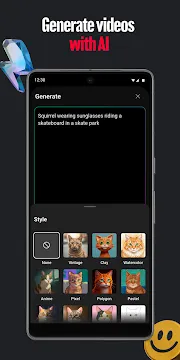
YouTube Create is a dedicated mobile editing application designed to simplify the video production process for creators. Google developed this tool to help users craft high-quality Shorts and long-form videos directly from their mobile devices. It offers a suite of professional features without the steep learning curve found in traditional desktop software. You can trim clips, add transitions, and use automated tools to polish your content. The app integrates directly with your existing channel, making the upload process incredibly fast. It provides a clean interface that prioritizes ease of use and speed. Whether you are a beginner or an experienced vlogger, this tool helps you maintain a consistent posting schedule.
Getting Started with YouTube Create
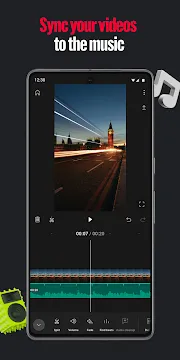
Setting up your first project is a straightforward process. Once you open the application, you can import videos and photos from your device gallery. The app organizes your media into a clear timeline for easy editing. You can drag and drop clips to rearrange them in seconds. This visual approach ensures that you always have control over the narrative of your video.
- Tap the plus button to start a new project.
- Select the clips you want to include in your edit.
- Choose the aspect ratio based on your target format.
- Preview your timeline to check the flow of the story.
The application handles large file sizes with impressive stability. You do not need to worry about the app crashing during heavy editing sessions. Transition effects are available to smooth out the cuts between different scenes. These small details contribute to a much more professional final product.
Editing Features in YouTube Create
This application offers several advanced editing tools that are usually locked behind a paywall in other apps. You can use the “Cleanup” feature to remove distracting background noise from your audio. This is particularly helpful if you record videos in public spaces or noisy environments. The tool uses artificial intelligence to isolate your voice and make it clearer.
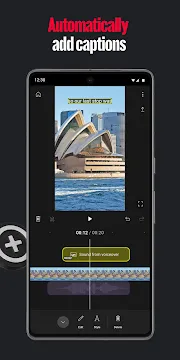
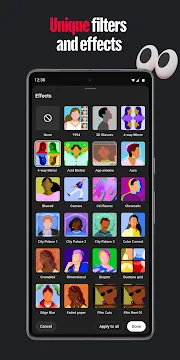
Another significant feature is the automatic captioning tool. Adding text to videos is essential for accessibility and engagement. This app generates captions with a single tap. You can then edit the text for accuracy and change the font style to match your branding. This saves creators hours of manual typing. Furthermore, you can apply filters and effects to change the visual mood of your project. Each filter is adjustable, allowing you to fine-tune the intensity to your liking.
Enhancing Audio with YouTube Create
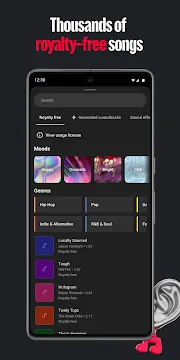
Audio quality is just as important as the visuals in any video. The app provides a massive library of royalty-free music and sound effects. You can browse different genres to find the perfect track for your content. Since this music comes directly from the platform’s library, you do not have to worry about copyright strikes.
- Access the audio menu from the main toolbar.
- Search for tracks by mood, genre, or duration.
- Sync the beats of the music with your video cuts using the “Beat Match” feature.
- Adjust the volume levels to ensure your voice remains audible.
The app also allows you to record voiceovers directly within the timeline. This is great for reaction videos or instructional content. You can see the video playing as you speak, which helps with timing. The voiceover tool includes basic editing options to trim out mistakes or silences.
Advanced Visual Effects and Overlays
To keep viewers engaged, you can use various overlays and stickers. The app includes a wide range of animated graphics that add personality to your clips. You can place these elements anywhere on the screen and adjust their timing. This is a great way to highlight key points or add humor to your presentation.
The picture-in-picture feature allows you to layer videos on top of each other. This is a common technique for gaming videos or tutorials where you want to show two perspectives at once. You can resize the secondary window and move it to any corner. This level of customization ensures that your videos do not look like generic templates. The app also supports speed adjustments, letting you create slow-motion or time-lapse effects effortlessly.
Streamlining the Workflow with YouTube Create
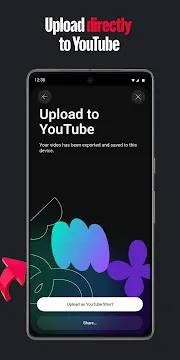
The main goal of this application is to save time for busy creators. It links directly to your account, allowing for a seamless transition from editing to publishing. Once your edit is complete, you can export the video in various resolutions. The app optimizes the file size for fast uploads without sacrificing visual clarity.
- Export your project in 1080p for the best balance of quality and speed.
- Add a title and description before the video leaves the app.
- Choose whether to publish as a Short or a standard video.
- Select a thumbnail that represents your content well.
This integrated workflow eliminates the need to transfer files between different apps or devices. You can finish an entire video while commuting or waiting in line. The simplicity of the process encourages more frequent uploads, which is key to growing an audience.
Conclusion
YouTube Create represents a significant step forward for mobile content creators. It provides powerful tools like noise cleanup and auto-captions in a very accessible format. The integration with the royalty-free music library is a massive benefit for anyone worried about copyright issues. By using this application, you can produce professional-looking videos with minimal effort. It removes the technical barriers that often stop people from starting their own channels. If you want a fast, reliable, and free editing solution, this app is an excellent choice. It empowers you to tell your story and share your creativity with the world directly from your phone.